Vocnu vs AutoDub: three videos, one without captions
Vocnu listens to a video's speech, so it voices videos that have no captions, on YouTube and on other sites, and it charges for the minutes it voices, from €0.03 a minute. AutoDub is free and needs no account, for YouTube videos that have captions: by its own FAQ it translates those captions on its servers with Google's models and keeps one result per video for everyone who watches it, which is far cheaper to run than listening to every video's speech. Vocnu publishes this page. On 12 November 2026 we ran both on the same three videos into French. AutoDub voiced the captioned YouTube scene, and sooner than Vocnu, but nothing on a lecture without captions or on the same film off YouTube. Vocnu voiced all three.
For Chrome 120 or newer, Brave and Edge on a computer.
The short answer
Pick Vocnu if the video has no captions, plays somewhere other than YouTube, or you need Lithuanian, Latvian, Estonian, Bulgarian, Croatian or Slovenian, and if the film should keep its normal speed under the voice. Pick AutoDub if you watch YouTube videos that have captions and want them voiced for free, want the voice within seconds, use Firefox, or want the translation and the original captions on screen together while you learn.
Where Vocnu goes further
- Videos without captions. Vocnu voices a video from its speech when it has no captions, in every grade. On a YouTube lecture with none, AutoDub said "This video has no captions to translate yet." and stayed silent, while Vocnu voiced it in French.
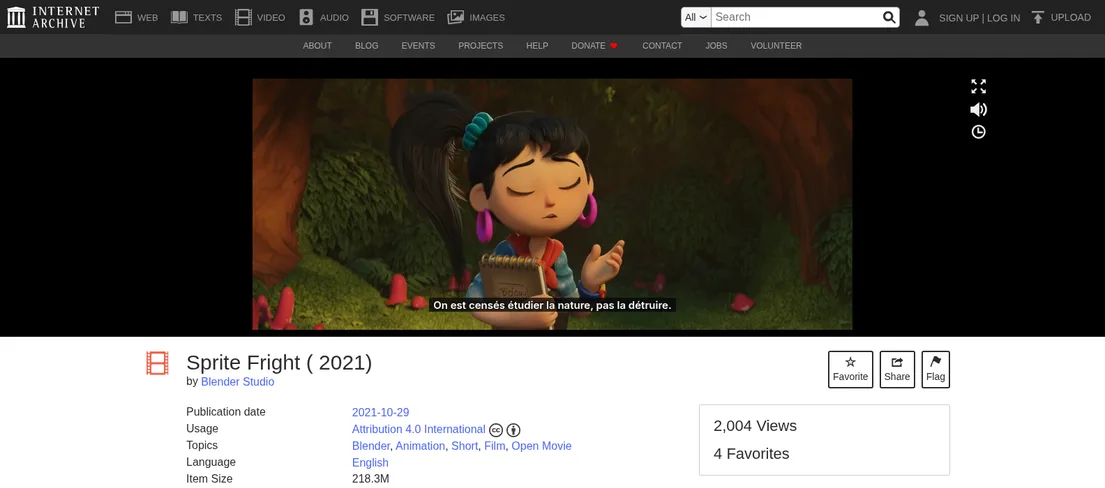
- Other sites. Vocnu works on pages with an HTML5 video player in Chrome, Brave and Edge. On the Internet Archive's copy of the same film it voiced every line; AutoDub showed no button there, and its site says it is "built specifically for YouTube".
- The film's own speed. Vocnu prepares the voice-over a little ahead and plays it at the film's speed. AutoDub slowed our scene six times in 35 seconds of dialogue, down to 0.6 times normal, to fit longer French lines.
- Six languages AutoDub doesn't have: Lithuanian, Latvian, Estonian, Bulgarian, Croatian and Slovenian.
- Your own files. Vocnu's app also voices a video you upload and gives you a finished MP4, the voice-over and subtitles.
What we tested
- Captioned YouTube: Sprite Fright, Blender Studio's open movie, on Blender Studio's YouTube channel, from 1:20 to about 2:05. English speech with English captions.
- YouTube without captions: a 30-minute history lecture in Lithuanian, from 5:00. It has no captions at all, not even automatic ones.
- Off YouTube: the same film on the Internet Archive, from 1:20.
- The language: French, which both offer.
- AutoDub: version 1.1.0 from the Chrome Web Store, in a fresh Chrome profile, without an account, on its default settings apart from the language.
- Vocnu: version 0.5.85 of the extension, a newer build than the one in the Chrome Web Store that day, signed in, in Economy, its cheapest grade, which reads with a plain synthetic voice. The Premium clip under "How they sound" comes from our first run of the captioned scene on 9 November 2026, with extension 0.5.66.
- How we watched: we switched each one on at the start time, logged the player's time, speed and volume about once a second, recorded the sound the browser played and saved screenshots.
What happened
| Video | Vocnu, Economy | AutoDub |
|---|---|---|
| Sprite Fright on YouTube, with captions | Voiced every line in time with the captions, after pausing the film for about 27 seconds at the start | Voiced every line in time with the captions, with no pause at the start |
| The lecture on YouTube, no captions | Voiced from the speech. The first French line came about 40 seconds after the lecture appeared, and from then on it kept pace | Nothing voiced: "This video has no captions to translate yet." |
| Sprite Fright on the Internet Archive | Voiced from the speech, every line, after pausing the film for about 55 seconds at the start | Nothing voiced: no AutoDub button on the page |
On the captioned scene, which both could voice, this is how they compared:
| Captioned scene | Vocnu, Economy | AutoDub |
|---|---|---|
| First French voice | About 35 seconds after switching on | About 8 seconds after switching on |
| Timing | Every line started with its English caption | Every line started with its English caption |
| Video speed | Normal all the way | Slowed six times while longer French lines played, down to 0.6 times normal, for one to a few seconds each, so 35 seconds of dialogue took about 38 |
| The film's own sound | Lowered to about 30% while the dialogue ran | Lowered to 25% under each French line, back to full in the longer pauses |
| The voice | One plain synthetic man's voice for every character; Economy also has a woman's voice for French | One woman's voice for every character, Denise, its default for French |
| Subtitles | French, over the video | French in yellow above YouTube's English captions, which we had on |
| Cost | 0.5 credits a minute in Economy, €0.03 to €0.05 | Free, no account |
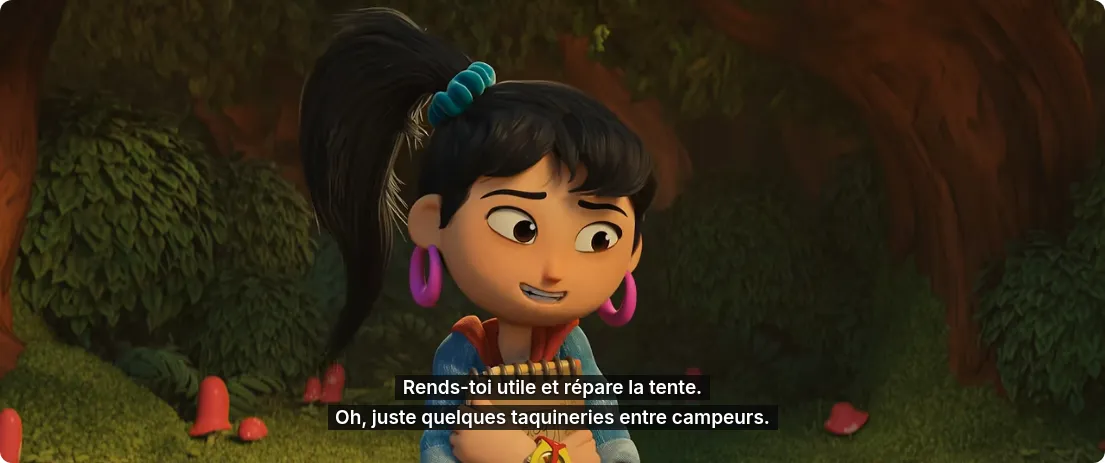
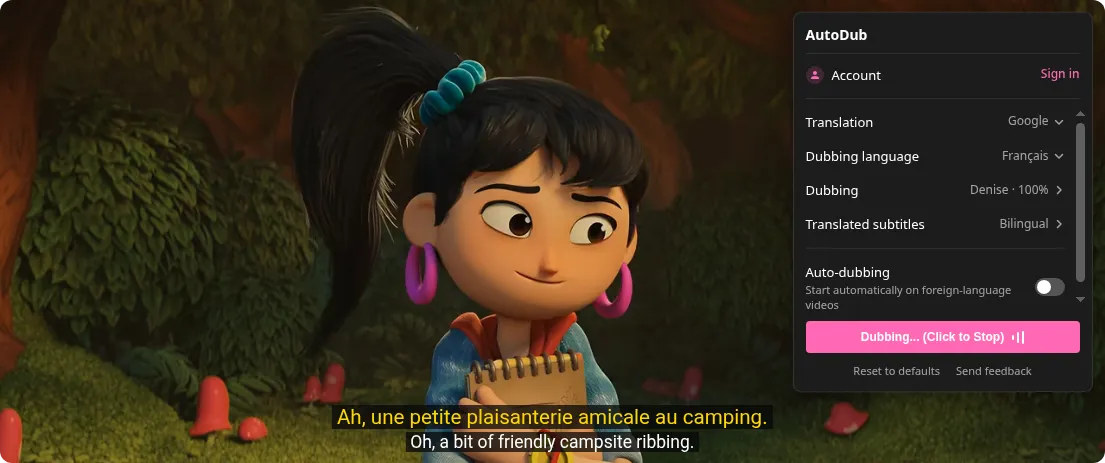
The pause is how Vocnu starts a video: it prepares the voice-over a little ahead, so each line can start with its speaker while the film keeps its speed, and it waits again only after a long jump forward or back. It waits longer when it has to listen to the speech than when it can read captions. AutoDub starts at once and makes room for a longer French line by slowing the video, so the picture and the film's sound drag for a second or two and the scene runs a little longer.
How they sound
We recorded what the browser played on the captioned scene. Below are the same 13 seconds, from "Oy, fungus freak!" on: Vocnu in Premium, its default grade, from our first test of this scene on 9 November 2026 (extension 0.5.66), then Vocnu in Economy and AutoDub from 12 November. All three clips are set to the same overall loudness and are otherwise as recorded.
Premium is the voice Vocnu reads with unless you choose otherwise, at four times Economy's price. Economy is its plainest: clearly synthetic, made for following what is said at the lowest price. AutoDub calls its voices "natural, lifelike neural voices", and here it read every character with Denise, a woman's voice. AutoDub keeps its lines to the timing of the English captions, so long ones come out fast, up to about six words a second on 9 November. In these 13 seconds AutoDub lowered the film to a quarter at the first line, kept it there and slowed the picture once, at "Amusant". Vocnu kept the film at about 30% and at normal speed. Over the whole scene AutoDub brought the film back up to full in the longer pauses, so its music and effects rise and fall around the dialogue.
The same lines in French
These are five lines of the scene as each extension voiced them, next to the video's English captions. Both kept every line. AutoDub stays close to the English and uses the formal vous; once that turns "Gross!" into "Brut !", which in French means raw or gross as in gross income. Vocnu wrote the casual French of friends teasing each other at a campsite.
| English caption | Vocnu, Economy | AutoDub |
|---|---|---|
| Gross! | Beurk ! | Brut ! |
| Make yourself useful and fix the tent. | Rends-toi utile et répare la tente. | Rendez-vous utile et réparez la tente. |
| Oh, a bit of friendly campsite ribbing. | Oh, juste quelques taquineries entre campeurs. | Ah, une petite plaisanterie amicale au camping. |
| Fun. | Sympa. | Amusant. |
| She's a real weenie that one, innit? | Elle est vraiment froussarde, celle-là, hein ? | C'est une vraie mauviette, celle-là, hein ? |
Vocnu's wording can differ from one run to the next while the meaning holds. In its second run on the scene, the one in the clip above, the campsite line came out as "Oh, juste des petites piques entre campeurs." On the Internet Archive's copy, where there were no captions to read and Vocnu listened to the speech, its French came out much the same: "Hé, le fan de champignons, rends-toi utile et répare la tente."
A video without captions
The second test is the case AutoDub's listing rules out: it asks for "a YouTube video that has captions (auto-generated captions work too)". The lecture we chose has neither, which is common for talks, lectures and older uploads, especially in smaller languages.
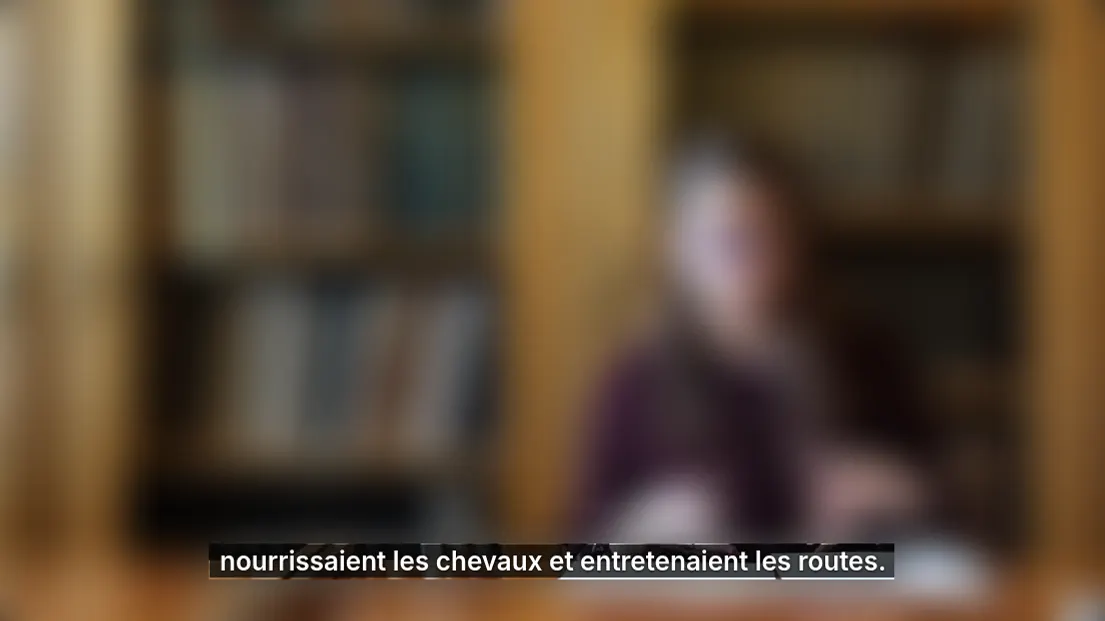
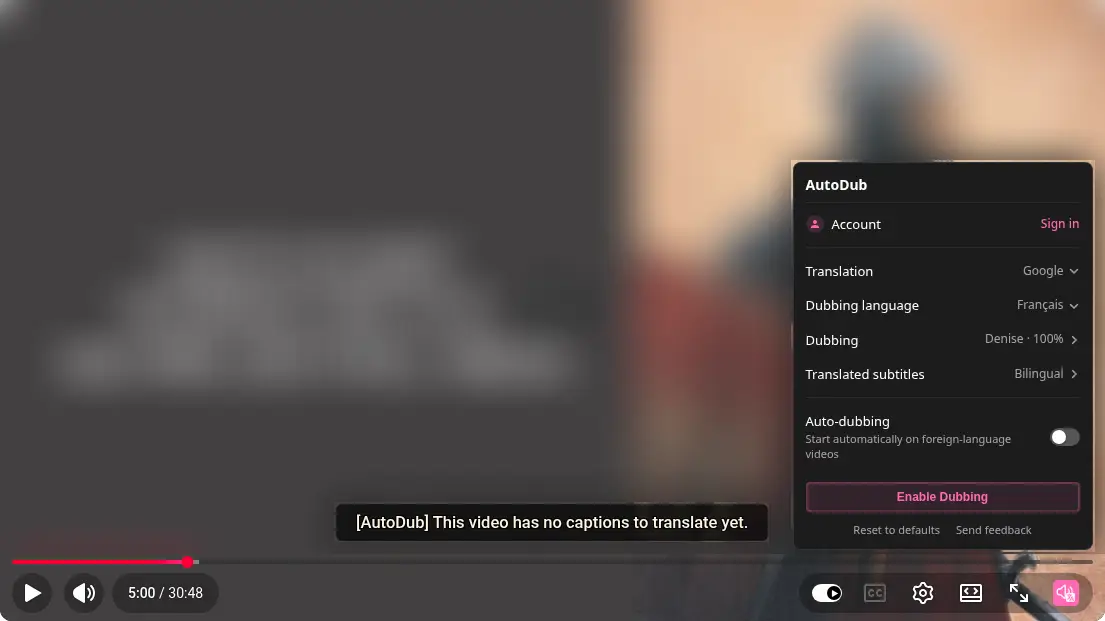
Vocnu worked out that the lecture was in Lithuanian, paused it twice while it prepared, about 35 seconds in all, and then read it in French in step with the speaker. AutoDub showed its message and played the lecture as it was.
Vocnu isn't the only extension that voices videos without captions, and each has its catch. EarDub does it only on its paid plans, from $9.99 a month. DubMog's free Standard mode recognizes the speech on your computer in Chrome, 30 minutes a day without an account. DubTab listens to anything that plays, after a one-time 15-minute trial, on plans from $19 a month. We tested each against Vocnu: Vocnu vs EarDub, Vocnu vs DubMog and Vocnu vs DubTab, and all our comparisons are on one page.
A video off YouTube
Blender Studio's film is also on the Internet Archive, under the same Creative Commons licence. With AutoDub installed, its page showed no AutoDub button or panel: AutoDub's FAQ says it is "built specifically for YouTube" and that its makers are "exploring other platforms". Vocnu found the player, paused the film for about 55 seconds while it prepared from the speech, then voiced every line.
What each one offers
Quotes on AutoDub's side are its own words from its Chrome Web Store listing and autodub.net, read on 12 November 2026. We tested only what the sections above describe.
| Feature | Vocnu | AutoDub, from its site |
|---|---|---|
| Price | €0.03 to €0.20 a minute with a voice, depending on the voice quality; 40 free credits once you confirm your email | "Free. No sign-up, no daily video limit, no paywall." |
| Videos without captions | Voiced from the speech, in every grade | Needs "a YouTube video that has captions (auto-generated captions work too)" |
| Where it works | Pages with an HTML5 video player in Chrome, Brave and Edge, YouTube included | "built specifically for YouTube"; "We're exploring other platforms." |
| Browsers | Chrome 120 or newer, Brave and Edge on a computer | "Chrome, Edge, Brave and other Chromium-based browsers. A Firefox version is available" |
| Languages | 38 | 42 |
| Voices | Natural, expressive voices in Premium; a female and a male voice in Standard, and in Economy for all but Croatian and Slovenian | "male and female options for every language, 90+ voices in all" |
| The film's sound | A slider for its level under the voice, which Vocnu sets for each video from its sound unless you choose your own, or off altogether | "keep it as it is, or have AutoDub lower it while the voice speaks" |
| Voice speed | No setting | "Voice speed from 0.5x to 2x, set separately from the video speed" |
| Subtitles | Over the video, in fullscreen too, or subtitles without the voice | "Leave YouTube's own captions on and you get both languages at once" |
| Account | Needed, to hold your credits | "AutoDub works without an account; signing in is optional" |
Languages only one of them has
Of Vocnu's 38 languages and AutoDub's 42, 32 are in both. These are not:
- Only in Vocnu: Lithuanian, Latvian, Estonian, Bulgarian, Croatian and Slovenian.
- Only in AutoDub: Filipino, Bengali, Urdu, Tamil, Telugu, Marathi, Gujarati, Kannada, Malayalam and Persian.
When AutoDub is the better choice
- You watch YouTube videos that have captions and don't want to pay. AutoDub says it has no limit; Vocnu's free credits run out after 80 minutes of Economy or 20 of Premium.
- You want the voice right away. On the captioned scene AutoDub spoke about 8 seconds after we switched it on, Vocnu about 35.
- You are learning a language and want both on screen: AutoDub shows its translation above YouTube's own captions.
- You want to set the voice's speed, from 0.5x to 2x, or you use Firefox.
- Your language is one of the ten above that only AutoDub has.
Price per minute
AutoDub charges nothing today, and its FAQ says any optional paid features would be announced in advance. Vocnu takes credits for the minutes it voices, and the price depends on the voice quality you choose in the extension. In euros, depending on the credit pack:
| Option | A minute | An hour |
|---|---|---|
| Vocnu Premium | €0.13 to €0.20 | €7.92 to €12.00 |
| Vocnu Standard | €0.07 to €0.10 | €3.96 to €6.00 |
| Vocnu Economy, used in this test | €0.03 to €0.05 | €1.98 to €3.00 |
| AutoDub, used in this test | Free | Free |
Like AutoDub, Vocnu reuses a voice-over it has already made: a minute of a video someone already watched in your language costs 0.2 credits in any grade. Credits never expire, watching the same minutes again within 90 days costs nothing, and so does a video that is already in your language. A new account gets 40 free credits once it confirms its email: 20 minutes of Premium voice-over, 40 of Standard or 80 of Economy.