
What languages Hulu's shows come with
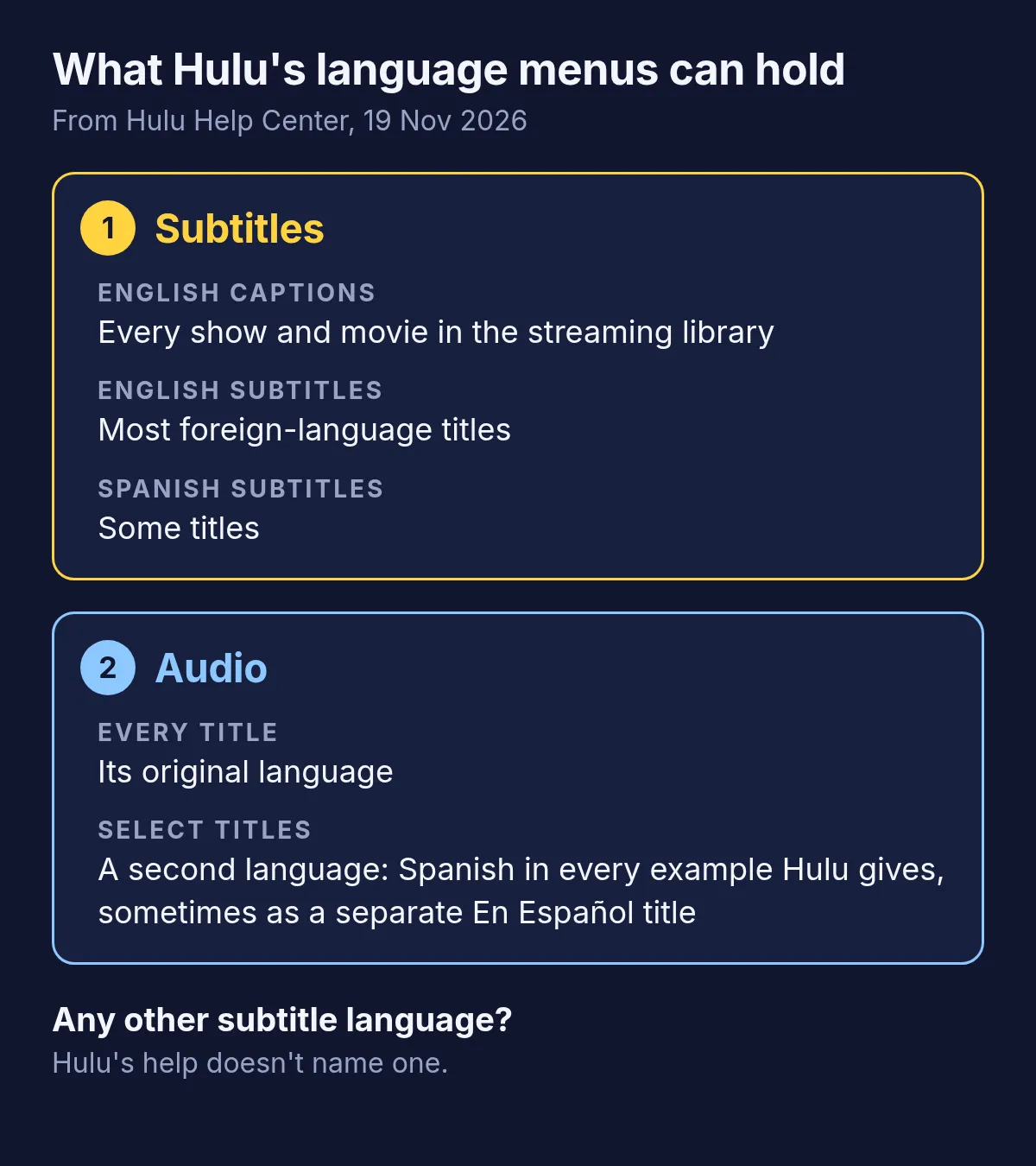
Hulu's help page on caption trouble puts it in one paragraph: English captions on all of the shows and movies in its streaming library, English subtitles on most of its foreign-language content, and Spanish subtitles as well in some cases. When you can't change the subtitle language, the same page says, it's possible that Hulu has only one language option for that video, typically English.
Audio is narrower still. Hulu's help says extra audio tracks are only on some shows and movies, and that a title may only be available in its original language. The examples it gives are all Spanish: dubbed versions of English-language shows such as Modern Family, Black-ish and Justified, gathered in an En Español collection in the Hispanic & Latin American Stories hub. Some of them are separate titles, Blue Bloods next to Blue Bloods en Español, so check which version you started.
Even the English text has limits. Hulu's help says captions on content from before 2014 were often paraphrased, so older shows may not match the dialogue word for word, and live news and sports are captioned in real time, which makes errors more likely.
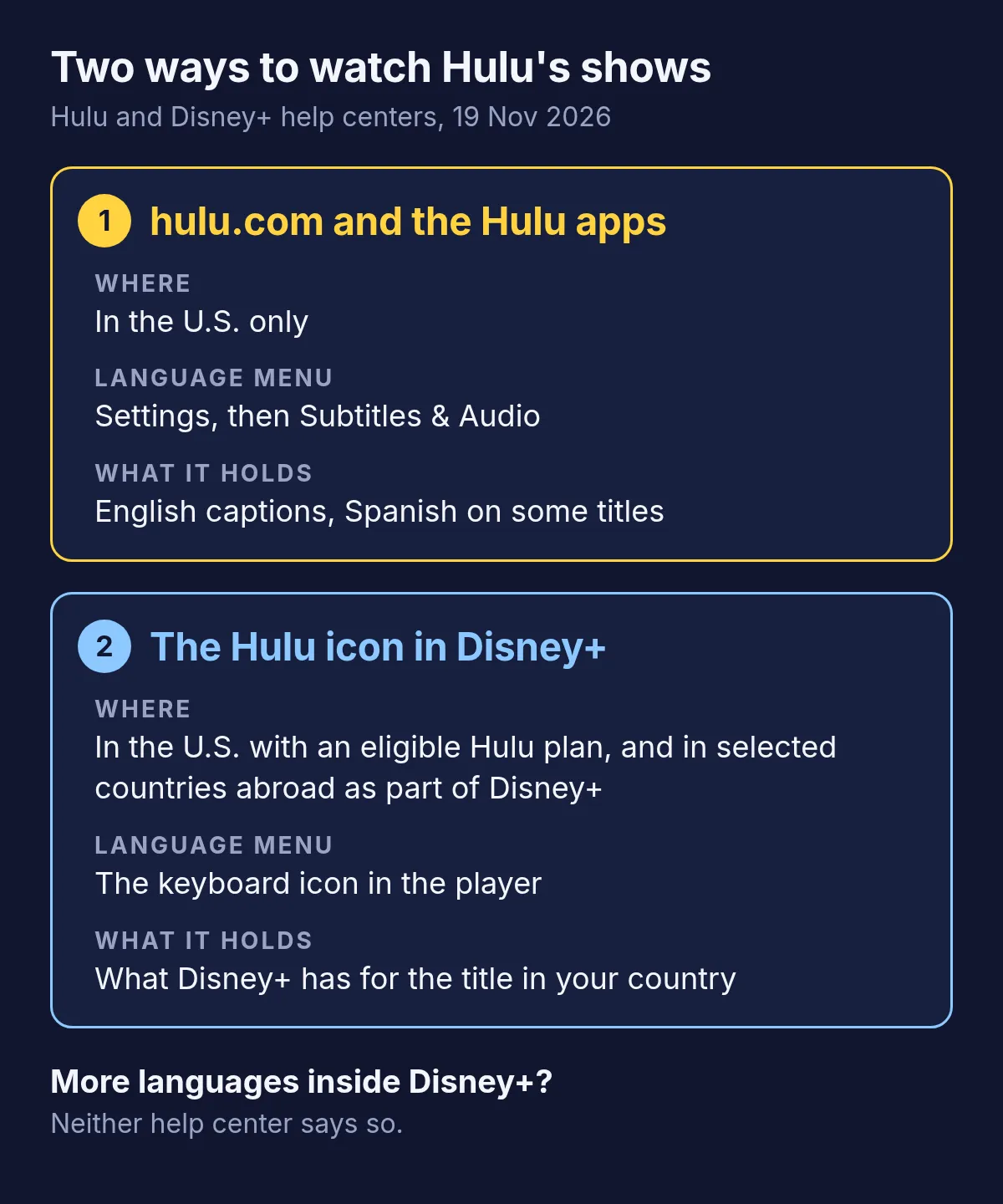
Where to change subtitles and audio on hulu.com
Hulu's help gives these steps for hulu.com, with the video playing:
- Click the Settings icon, the gear on the player.
- Open Subtitles & Audio and choose English, Spanish or Off for the subtitles. Spanish is there only when the title has it.
- Under Audio, pick the soundtrack's language, where the title has more than one. The audio can't be turned off, only switched.
The same menu, under Subtitles & Audio and then Settings, changes how the captions look: font, size, text color and background. In Hulu's apps for TVs, phones and tablets the menu opens from the player's Settings too, and the choice is the same: English, or Spanish where the title has it.
Why the menu changes by title and device
Hulu's help gives several reasons why the menu isn't the same every time you open it:
- The title. Spanish subtitles and a second soundtrack exist only on some shows and movies, and a dubbed version may be a title of its own. If the language won't change, the video may simply have one.
- Burned-in text. Where captions or subtitles are part of the picture itself, Hulu says you can't turn them off or change how they look.
- The device. On hulu.com, caption settings belong to the whole account and apply to every profile. On phones, tablets and TV devices, each profile keeps its own. So what you set in the TV app may not be what you find in the browser.
- Where you are. A Hulu subscription is meant for a single U.S. household and streams anywhere in the U.S., Puerto Rico and U.S. military bases included. Hulu doesn't work through a VPN or a proxy. Abroad, Hulu itself doesn't stream; in selected countries its shows come inside Disney+ instead, with Disney+'s menu.
Hulu inside Disney+: what changes for languages
In the U.S., Hulu now also lives inside Disney+. Hulu's help says subscribers with an eligible Hulu plan, billed by Hulu, can stream most of the Hulu streaming library in the Disney+ app or on disneyplus.com: log in with the email of the Hulu account, your MyDisney login, and pick the Hulu icon at the top. Live TV and add-on content aren't there yet, and the Hulu app and hulu.com still work.
A Hulu show watched there plays in Disney+'s player, so its languages are in Disney+'s menu under the keyboard icon: top right in a browser and on a phone, bottom right on a TV. Disney+'s help says the languages on offer vary by country or region and by title. Neither help center says that a show gets more languages in Disney+ than on hulu.com.
Outside the U.S., Hulu isn't a service of its own. Disney+'s help calls it a content brand available in selected international markets, included in the Disney+ subscription there and found under the same Hulu icon, with content that may vary by country or region. A Hulu show watched that way comes with the audio and subtitles Disney+ has for it in your country. What to do when Disney+ lacks your language covers that menu and the ways to watch when your language isn't in it.
When neither menu has your language
Say you read Polish and only a little English. Nothing in Hulu adds Polish, and its help offers one route for missing subtitles: a request by email to its captions team, with no promise attached. What's left:
| Option | What you get | Where it works |
|---|---|---|
| Hulu's English captions or subtitles | The title's own text in English, to read along | Every device Hulu runs on |
| A Spanish version, where there is one | Spanish audio or subtitles on some titles | Every device Hulu runs on |
| Hulu's shows in Disney+ where you live | The languages Disney+ has for the title in your country | Selected countries outside the U.S. |
| A subtitle extension with a voice-over, such as Vocnu | Subtitles in your language over the picture, or a voice reading them | Chrome, Brave or Edge on a computer |
Only the last adds a language the title doesn't have, and like any extension it needs a browser on a computer.
Subtitles in your language on Hulu with Vocnu
The Vocnu extension translates a video while it plays and shows subtitles in your language over the picture, in 38 languages. If you'd rather listen than read, it can also have one AI voice read the translation over the original sound, turned down. It works on hulu.com in Chrome, Brave and Edge on a computer. Nothing in it is made for Hulu in particular: where it can read the subtitles the player loads, it translates those, and where it can't, it listens to the tab's sound once you allow that with one click on its button.
- Add Vocnu to Chrome, Brave or Edge from the Chrome Web Store. In the app it opens, sign in or create a free account, then press Connect the extension.
- Start the show on hulu.com. Click Vocnu's button in the toolbar or press Alt+Shift+V, and pick your language under Translate into.
- Under What you get, choose Subtitles only, or Voice-over and subtitles if you'd rather listen. If Vocnu needs to hear the video, it says so over the player and begins once you click its button.
Hulu's help lists the latest Chrome, Firefox, Safari and Edge as its browsers. Brave isn't on that list, so if hulu.com won't play in Brave, use Chrome or Edge. The same goes for Hulu's shows on disneyplus.com, where Disney+'s list includes Chrome and Edge but not Brave.
There is no test of Vocnu on Hulu behind this page, so it gives no timings or verdict on quality there. How to translate Netflix has a full test on a film: how soon the first line came, what pausing and jumping did, and how the translation held up. On Netflix Vocnu read the film's subtitles, so the waits on Hulu can differ. What holds on any site:
- The translation is a machine's, so a line can come out wrong and names may be spelled by how they sound.
- The voice-over, if you choose it, is one voice for every character over the original sound turned down, and it doesn't follow the actors' lips.
- Songs keep their own sound. Two switches in Vocnu's menu cover them: Song subtitles shows the lyrics in your language, and Voice songs reads them as well.
- A show already in your language is never translated or charged.
- On a computer only: Vocnu doesn't run in the Hulu or Disney+ apps on a TV, a phone or a tablet.
What a Hulu episode or film costs
You pay for the minutes Vocnu translates, and subtitles alone cost less than a voice-over. Standard is the cheaper grade, with a quicker translation that slips more often and, for the voice-over, a plain synthetic voice. Premium has the finest translation and the most natural voices. Each price depends on the plan or pack:
| What you choose | A 45-minute episode | A 2-hour film |
|---|---|---|
| Standard subtitles | €0.48 to €1.00 | €1.19 to €2.50 |
| Premium subtitles | €2.70 to €5.67 | €7.15 to €15 |
| Standard voice-over | €0.91 to €1.92 | €2.38 to €5.00 |
| Premium voice-over | €3.58 to €7.50 | €9.54 to €20 |
A new account gets free time once its email is confirmed: 2 h 40 min of Standard subtitles, enough for a few episodes, or 1 h 20 min of Standard voice-over. Watching the same minutes again within 90 days, in the same language, voice and mode, costs nothing. Plans start at €10 a month and packs of hours at €10, and a pack's hours do not expire.
Questions and answers
Going by Hulu's own help, only Spanish, and only on some titles. Its help center, read on 19 November 2026, says English captions are available for all of the shows and movies in its streaming library, English subtitles for most foreign-language content, and Spanish subtitles in some cases. It names no other subtitle language.
On hulu.com, click the Settings icon while the video plays, open Subtitles & Audio, and choose English, Spanish or Off. Spanish is there only when the title has it. In Hulu's apps for TVs, phones and tablets, the same choice is in the player's Settings menu.
Some of it. Hulu has Spanish-language originals such as Santa Evita, Spanish dubs of shows like Modern Family and Justified, some of them separate titles marked En Español, and Spanish audio on select titles under Audio in the player's Settings. Its help points to the Hispanic & Latin American Stories hub, or a search for Español.
Usually because the video has only one. Hulu's help says that when you can't change the subtitle language, it's possible only one option is available, typically English, and that captions burned into the picture can't be turned off or changed.
Hulu's help names only English and Spanish subtitles. To read a Hulu show in French, Korean, Chinese or another of 38 languages, an extension such as Vocnu can show its own translated subtitles over the video on hulu.com, in Chrome, Brave or Edge on a computer.
Vocnu runs on disneyplus.com as it does on hulu.com, in Chrome, Brave or Edge on a computer. Disney+'s own list of browsers has Chrome and Edge but not Brave, so if a show won't play in Brave, use one of those. Vocnu doesn't run in the Disney+ or Hulu apps on a TV, a phone or a tablet.
A 45-minute episode with Standard subtitles costs €0.48 to €1.00, depending on your plan or pack, and €2.70 to €5.67 with Premium subtitles. With a voice-over it costs €0.91 to €1.92 in Standard and €3.58 to €7.50 in Premium.
Sources
- Hulu Help Center: I'm having trouble with closed captions/subtitleshelp.hulu.com (opens in a new tab)
- Hulu Help Center: Using closed captions and subtitles on Huluhelp.hulu.com (opens in a new tab)
- Hulu Help Center: How do I change the audio language on Hulu?help.hulu.com (opens in a new tab)
- Hulu Help Center: Spanish-language content on Huluhelp.hulu.com (opens in a new tab)
- Hulu Help Center: Watch Hulu on Disney+help.hulu.com (opens in a new tab)
- Hulu Help Center: Computer and browser requirements for Huluhelp.hulu.com (opens in a new tab)
- Hulu Help Center: Why can't I use Hulu internationally?help.hulu.com (opens in a new tab)
- Disney+ Help Centre: Hulu on Disney+help.disneyplus.com (opens in a new tab)
- Disney+ Help Centre: Closed captions, subtitles and audio language on Disney+help.disneyplus.com (opens in a new tab)
- Disney+ Help Centre: What are the browser requirements for Disney+?help.disneyplus.com (opens in a new tab)
Found something out of date? Write to support@vocnu.com and we will check it and correct the page.