Watch in your language
Is there an app that reads subtitles out loud?
Yes, and which one fits depends on two things: whether the subtitles are in a language you read, and whether you watch on a computer or a TV. A screen reader can read subtitles that are already in your language when the player shows them as text. Some services and broadcasters have an audio track that speaks them, and a phone app can read them off a TV screen. When the subtitles are in a language you don't read, or there are none, a voice-over extension such as ours, Vocnu, reads the video aloud in your language on a computer. We read each tool's own pages on 16 November 2026 and tried Vocnu on a German video.

Which one fits you
People with low vision, tired eyes or dyslexia ask this a lot, and so do the partners and grown-up children who set things up for them. Start from what you watch and where:
| You watch | Try first |
|---|---|
| A show with subtitles in your language, on a computer | The screen reader you already use: NVDA, JAWS, Narrator or VoiceOver. It works where the player shows the subtitles as text. |
| Netflix on an iPhone or iPad | VoiceOver with Media Descriptions set to Speech, the fix Netflix's own help gives |
| A foreign show on a service or channel with an extra audio track | An Audio Description track, or spoken subtitles where a broadcaster offers them, as Yle and SVT do |
| A TV, with no computer at hand | A phone camera app such as Seeing AI or Lookout, pointed at the screen. A workaround with gaps. |
| A video whose subtitles are in a language you don't read, or that has none, on a computer | A voice-over extension such as Vocnu, which reads it in your language |
All but the last read subtitles in the language they are written in. Only the last translates.
A screen reader, when the subtitles are in your language
A screen reader speaks the text an app or a web page exposes to it. Many players show subtitles as text, so a screen reader can read each line as it appears, but whether it does depends on the player more than on the screen reader. The common ones:
- NVDA for Windows: free and open source, from NV Access.
- JAWS for Windows: paid, with a free trial.
- Narrator, built into Windows 11: Ctrl+Windows+Enter turns it on.
- VoiceOver, built into Macs: Command-F5 turns it on. iPhones, iPads and Apple TV have it too.
Netflix's page on screen readers lists VoiceOver for Apple TV, iPhone, iPad and MacBook, TalkBack for Android, JAWS and NVDA for Windows and ChromeVox for Chromebooks. Its page for when VoiceOver isn't reading subtitles has a fix for iPhone and iPad only: Settings, Accessibility, VoiceOver, Verbosity, Media Descriptions, choose Speech, then open Netflix again. For every other device, the same page says Netflix is looking into the problem. So on a computer, try your screen reader on the title before you count on it.
Two catches. A screen reader reads subtitles in the language they are written in, so it helps only when that is a language you know. And subtitles burned into the picture are not text at all, so no screen reader can reach them.
Audio description and spoken subtitles
Netflix describes Audio Description as optional narration of what happens on screen: actions, facial expressions, costumes, settings and scene changes. You turn it on in the player under Audio & Subtitles, by picking an audio track with Audio Description in its name. Netflix's page does not say it reads subtitles. Viewers who use it say some tracks do read the subtitled lines of a foreign-language scene, so it is worth trying on a title that has one.
Spoken subtitles, also called audio subtitles, go further: a voice reads out the translated subtitles of a programme in another language. The European Broadcasting Union counts spoken subtitling among a broadcaster's access services, beside subtitling, audio description and signing. Two public broadcasters that explain how to turn it on:
- Yle in Finland reads the translated subtitles of all its foreign-language programmes on TV and in Yle Areena with a synthetic voice, in Finnish and in Swedish. Its accessibility page says the service is mainly for people with visual impairments or reading difficulties. In Areena's recordings it works through a phone's screen reader, on Areena's live channels you pick it under the speech-bubble or sound icon, and on a TV you choose Dutch as the receiver's audio language.
- SVT Play in Sweden has uppläst undertext, spoken subtitles, for programmes that support it: under the speech-bubble button on the web and in the iPhone app, and under Ljud or Ljud & språk in its TV apps, as its player help says.
Both read in their own languages, Finnish or Swedish, so they help people who watch in those languages.
A phone app pointed at the TV
When the show plays on a TV and nothing on the TV reads its subtitles, a phone can try. Camera apps made for blind and low-vision people read out the text the camera sees:
- Seeing AI, free from Microsoft for iPhone and iPad: its Read feature speaks text as soon as it comes in front of the camera.
- Lookout, from Google for Android: in its Text mode you point the camera at text to have it read.
Prop the phone so it faces the screen and turn its volume up. Neither app is made for subtitles: they read any text they catch, a channel logo or a sign in the scene as much as a line of dialogue. We did not test either on a TV.

When the subtitles are in a language you don't read
Everything above reads subtitles in the language they are written in. A YouTube video with captions only in the language it is spoken in, a show whose subtitles leave out your language, a talk with no subtitles at all: there the words have to be translated before they can be read to you, and that is what a voice-over extension does.
Vocnu is ours. It is an extension for Chrome, Brave and Edge on a computer that translates a video into one of 38 languages and reads it aloud in one voice over the original sound, which it turns down, with subtitles in your language over the player. On YouTube it works from the video's subtitles when it has them, and from its sound when it has none. A video already spoken in the language you choose is left as it is. It works on Netflix in the same browsers: how to translate Netflix has our test there.
Setting it up takes a few minutes:
- Add Vocnu to Chrome from the Chrome Web Store. Brave and Edge install it from there too.
- The extension opens the Vocnu app: sign in or create a free account, and press Connect the extension.
- Open the video and press the Vocnu button in the browser's toolbar, or Alt+Shift+V.
- Choose your language, a voice and a grade, turn Vocnu on, and play.
We have not tried Vocnu's own window with a screen reader, so if the person it is for relies on one, have someone sighted do the first setup with them. Vocnu keeps the language, voice and grade you chose, and after that Alt+Shift+V switches it on and off on the tab.
Our test: a German video read in English
We picked "Warum mäandern Flüsse?" (Why do rivers meander?), a minute-and-a-half Terra X explainer from ZDF, Germany's public broadcaster, published on YouTube by the channel Einfach Lernen under a Creative Commons Attribution licence. It is narrated in German and has English, German and Turkish subtitles. On 16 November 2026 we played it in Chrome with Vocnu 0.5.101, the Chrome Web Store's version that day, set to English and Economy.
| What we looked at | What happened |
|---|---|
| Wait at the start | 17 seconds after we switched Vocnu on. Until then the video waited while Vocnu showed how far it had got. |
| Where the words came from | The video's English subtitles |
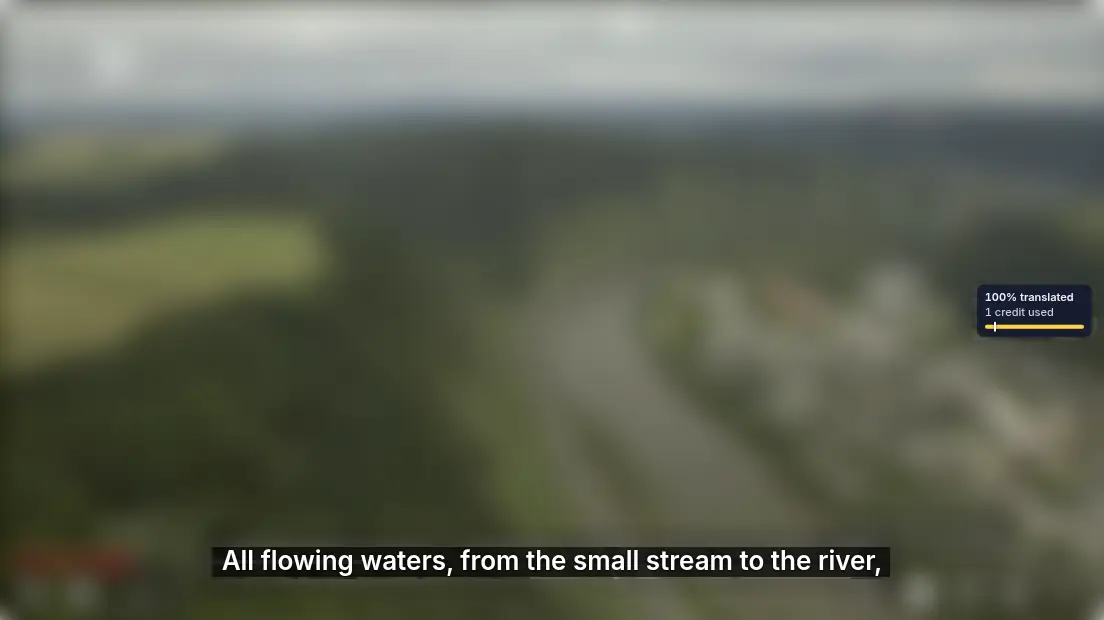
| First line read | "All flowing waters, from the small stream to the river," |
| What we heard and saw | One English voice reading 15 lines over the German narration, which was turned down to 40 percent, and English subtitles over the player |
| Pause and reload | Pausing stopped the voice and playing brought it back, before and after we reloaded the page |
| Credits charged | 1 credit for the whole video in Economy |
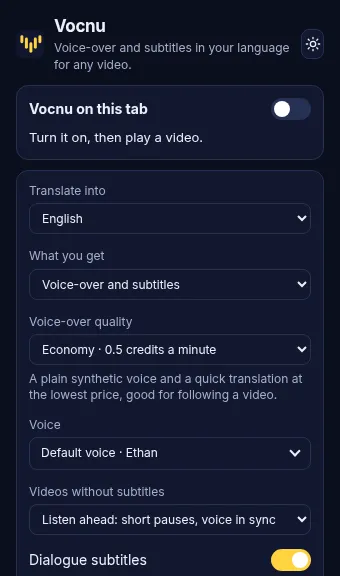
Economy has Vocnu's plainest voices and a quick translation, enough to follow a video like this one. Standard has clearer voices, and Premium the most natural voices and the finest translation, the safer pick for a film with a lot of dialogue.
What it costs
Vocnu charges for the minutes it reads, rounded up per video, at the grade you pick: 0.5 credits a minute in Economy, 1 in Standard, 2 in Premium. In euros, from the largest credit pack to the smallest:
| Video | Economy | Standard | Premium |
|---|---|---|---|
| A 45-minute episode | 23 credits, €1.52 to €2.30 | 45 credits, €2.97 to €4.50 | 90 credits, €5.94 to €9.00 |
| A 2-hour film | 60 credits, €3.96 to €6.00 | 120 credits, €7.92 to €12 | 240 credits, €16 to €24 |
A new account gets 40 free credits once it confirms its email, no card needed: 80 minutes in Economy. Watching the same minutes again within 90 days, in the same language, voice and mode, is free, and credit packs start at €5. NVDA, Narrator, VoiceOver and Seeing AI cost nothing, so when the subtitles are already in your language, try them first.
The limits
- Vocnu runs in Chrome, Brave and Edge on a computer, not in apps on TVs, phones or tablets.
- One voice reads every speaker, over the lowered original sound. Lips are not matched.
- Machine translation can be wrong, with names and terms most of all, and Standard and Economy slip more often than Premium.
- Each video starts with a short wait while Vocnu prepares the first lines: 17 seconds in our test, longer for a video with no subtitles, which Vocnu has to hear first.
- We have not tested Vocnu's window with a screen reader.