
Why a translator app does not hear your computer
Translator apps are made for talking to someone. Google Translate's help for computers tells you to click the microphone and speak. The sound your computer plays, a webinar, a lecture, a stream, does not go into the microphone, so the app never hears it. Holding the microphone to the speakers half works, with every noise in the room on top.
What can hear that sound depends on where it plays: anywhere on the computer, in the browser, or in one tab. Here is what each option hears and what it gives you.
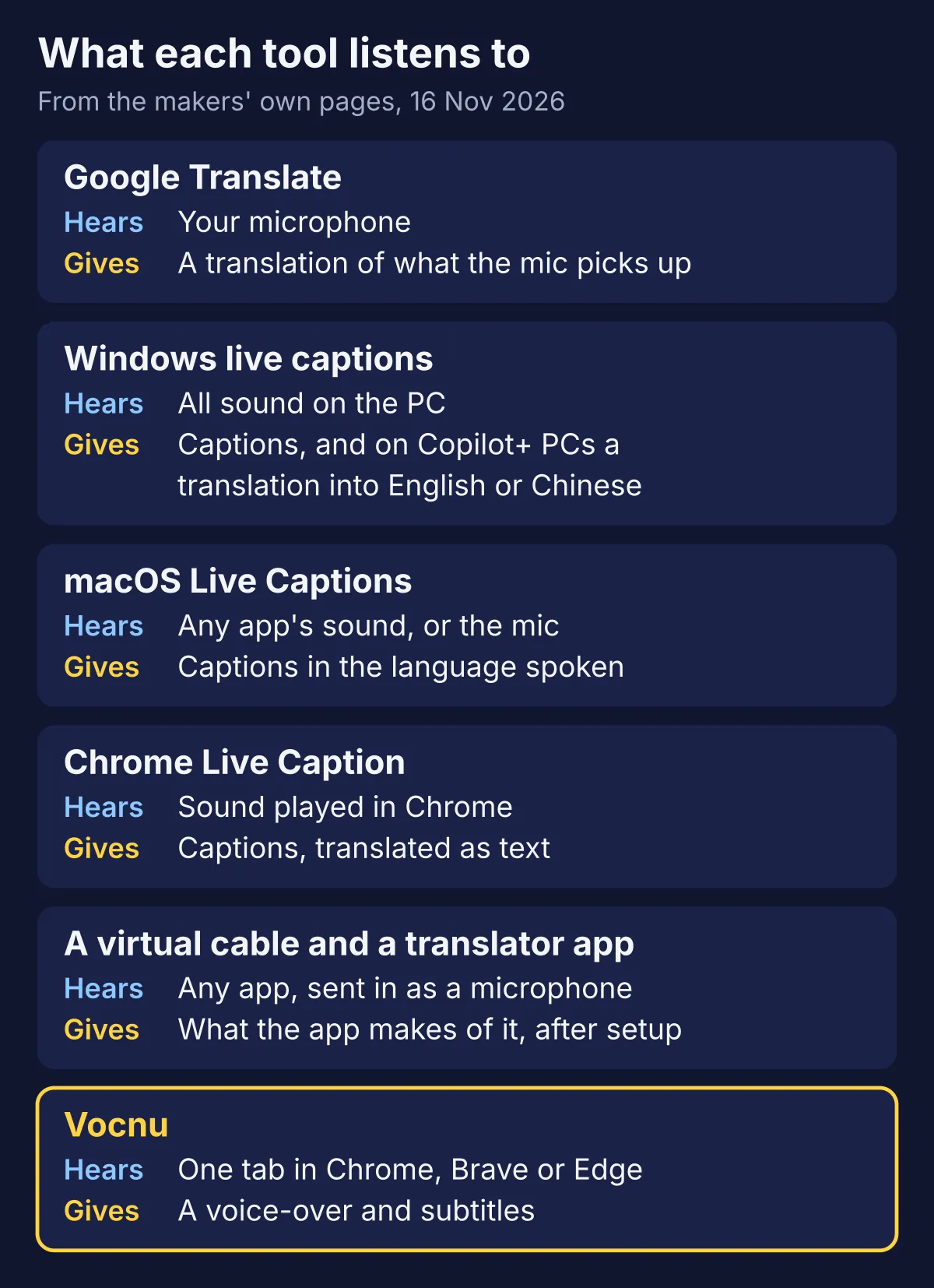
What Windows, macOS and Chrome can do
| Option | Hears | Translates | Runs on |
|---|---|---|---|
| Windows live captions | All sound on the PC | Into English or Chinese, as text, on Copilot+ PCs only | Windows 11, 22H2 or later |
| macOS Live Captions | Any app's sound, or the microphone | No: captions in the language spoken | Macs with Apple silicon |
| Chrome Live Caption with Live Translate | Sound played in Chrome | Into over 100 languages, as text | Chrome on Windows, Mac, Linux and ChromeOS |
| A virtual cable into a translator app | Any app, sent in as a microphone | Whatever the app does | Windows or macOS, after a driver install |
| Vocnu | One tab in Chrome, Brave or Edge | Into 38 languages, read out with subtitles | Chrome, Brave and Edge on a computer |
Windows live captions caption any sound that plays through the PC, and leave the microphone off unless you turn it on. Microsoft's live captions help says the audio and the captions never leave your device. Translation is the catch: it needs a Copilot+ PC with Windows 11 24H2 or later, and goes from over 40 languages into English, and from 27 into Chinese (Simplified). On any other PC you get captions in the language spoken. Microsoft also warns that a busy app can delay or drop captions, and that music is not reliably captioned.
macOS Live Captions work on Macs with Apple silicon. They caption every app's sound, or the microphone, on the Mac itself, but Apple's guide has no translation for them, and they are not available in every language or region. Apple's Live Translation on the Mac is for Messages, FaceTime and Phone calls.
Chrome Live Caption captions what plays in Chrome on Windows, Mac, Linux and ChromeOS. Turn on Live Translate in its settings and pick a language under "Translate to": Google's help lists over 100, and says the captions are sent to Google to be translated. It is free and quick to set up, but it gives text only, and it hears Chrome and nothing else.
The virtual cable route, and why it is clumsy
A virtual audio cable is a driver that adds a playback device and a recording device to your computer. VB-Audio, whose VB-CABLE for Windows and macOS is donationware, puts it simply: everything that goes into the cable's input comes out of its output. Make the cable your computer's speaker and a translator app's microphone, and the app hears the computer instead of you.
- You install an audio driver, and VB-Audio says to restart the computer after installing it.
- While the cable is your speaker, you hear nothing yourself, unless you also send the sound back to your headphones.
- The translator app still thinks it hears a microphone, so you get whatever it does with speech, often a line of text at a time.
- When you are done, you switch your speaker back, or the next video plays into the cable.
It is still the one route that catches a desktop app, such as a Zoom call or the Spotify app. If the sound plays in a browser tab, there is a simpler way.
Hear a browser tab in your language
Vocnu, a voice-over extension, hears the sound of a tab in Chrome, Brave or Edge. It translates each sentence and reads it in your language over the lowered original sound, with subtitles, with no cable and no settings in your computer's sound:
- Add Vocnu from the Chrome Web Store to Chrome, Brave or Edge on a computer.
- The extension opens the Vocnu app: sign in or create a free account, and press Connect the extension.
- Open the video or the stream in a tab, start it and press the Vocnu button in the browser's toolbar, or Alt+Shift+V.
- Pick your language in Vocnu's menu. It reads 38 languages.
A live stream is voiced live, a few seconds behind the picture, and Vocnu's menu says "live from the tab's sound, a few seconds behind". A recorded video without subtitles gives you a choice under "Videos without subtitles": "Listen ahead: short pauses, voice in sync" or "Live: no pauses, voice a few seconds late". A video with subtitles or captions is translated from them instead. Vocnu works one tab at a time. For news channels, see Vocnu for news and live streams.
Our test on a Japanese live stream
On 17 November 2026 we opened the evening news of a Japanese 24-hour weather channel, live on YouTube in Chrome, with a build of Vocnu 0.5.104 on a test account, and switched it on into English for about five minutes. Vocnu took the tab's sound with nothing else to set up: its menu said playing 8 seconds after we switched it on, and the first English subtitle came after 22 seconds.
| What we tried | What happened |
|---|---|
| Switching Vocnu on | The first English line 22 seconds later, as a subtitle and in the voice |
| Pausing the stream | The voice stopped with it |
| Playing again | The voice went on at once |
| Turning Vocnu's subtitles off | They went away |
| Reloading the page | Vocnu stayed on. YouTube played a 3-second ad first: Vocnu kept quiet over it and was translating again 11 seconds after it |
So it works, with rough edges. The first line takes about 20 seconds, and after the ad Vocnu needed another 11 seconds to catch up. That was the only ad YouTube showed us in five minutes, so a longer ad break went untested. The translation is rough too: one line read "So, from the 19th at 2 o'clock to the 21st at 9 o'clock" while the snow map on screen said from 9 o'clock on the 19th, a number lost on the way. And the voice is always behind: Vocnu waits for each sentence to end before it reads it. On two Twitch channels we measured the voice about 8 seconds behind the streamer, see how to translate a Twitch stream.

What it costs
The captions of Windows, macOS and Chrome are free, and VB-Audio's cable is free to use, with donations welcome. With Vocnu you pay for the minutes it voices, at the price of the voice you choose. Live, it reads in Premium:
- An hour of a live stream costs €4.77 to €10.00, depending on the plan or pack.
- Standard is for recorded videos: an hour costs €1.19 to €2.50. On a live stream Vocnu reads in Premium instead.
- A new account gets 2 h 40 min of Standard subtitles free once it confirms its email, or 1 h 20 min of Standard voice-over, no card needed.
When Vocnu is not the answer
- The sound comes from a desktop app, such as Zoom, Teams or the Spotify app. Vocnu hears browser tabs only: use your system's live captions or a virtual cable.
- You want captions in the language spoken. The live captions of Windows, macOS or Chrome do that for free.
- You watch on a phone, a tablet or a TV. Vocnu works in Chrome, Brave and Edge on a computer.
- You need no delay at all. Live, the voice always comes a few seconds after the speaker.
- You need exact quotes. Machine translation makes mistakes, a live one more so: check the original before you rely on a line.
- You live in a country where live translation is not available. There Vocnu's menu says it cannot translate live streams in your country, and nothing is charged.

Questions and answers
Not by itself. Its voice input listens to your microphone. For the computer's own sound, use your system's live captions, a virtual audio cable into a translator app, or, for a browser tab, a voice-over extension such as Vocnu.
Windows 11 live captions caption all sound on the PC. They translate it only on Copilot+ PCs with Windows 11 24H2 or later, as text, into English or Chinese (Simplified).
macOS Live Captions caption any app's sound on Macs with Apple silicon, in the language spoken. Apple's guide offers no translation for them.
A few seconds. Vocnu waits for each sentence to end before it reads it, so a long sentence comes later than a short one. In our tests on live streams the voice came about 8 seconds behind the speaker, and the first English line 22 seconds after we switched Vocnu on. After an ad, Vocnu was translating again 11 seconds later.
Not the desktop apps. Vocnu hears tabs in Chrome, Brave and Edge only.
Sources
- Google Translate Help: Translate by speech on a computersupport.google.com (opens in a new tab)
- Microsoft Support: Use live captions to better understand audiosupport.microsoft.com (opens in a new tab)
- Apple: Get captions of spoken and computer audio on Macsupport.apple.com (opens in a new tab)
- Google Chrome Help: Manage captions and translations in Chromesupport.google.com (opens in a new tab)
- VB-Audio: VB-CABLE Virtual Audio Devicevb-audio.com (opens in a new tab)
Found something out of date? Write to support@vocnu.com and we will check it and correct the page.