In short
- Free on YouTube: click the gear, then Subtitles/CC, then Auto-translate, and pick English.
- Chrome’s free Live Translate hears Spanish and writes English in a box of its own.
- Vocnu showed English on a telenovela clip after 13 seconds, and on Spain’s live 24h channel after 11.
- Standard subtitles cost €0.60 to €1.25 an hour, and a new account gets 2 h 40 min free.
Free ways to get English on a Spanish video
Try these first. Each costs nothing, and each has a catch:
| Free way | Where it works | The catch |
|---|---|---|
| YouTube’s Auto-translate: the gear, Subtitles/CC, Auto-translate, English | YouTube videos with Spanish captions, automatic ones too | It translates the captions as they are, misheard words included, often in half sentences |
| YouTube’s automatic dubbing, in the player’s audio track menu | Some YouTube videos | Only where YouTube made an English track and the creator left it on |
| Chrome’s Live Translate, under Settings, Accessibility, Captions | Any video playing in Chrome | Text only, in a box of its own, rewritten as it listens |
How to translate a YouTube video covers YouTube’s options, and Vocnu vs Chrome’s live translate tests Chrome’s box.
How to translate a Spanish video to English with Vocnu
The Vocnu extension works on YouTube, Spanish TV sites and other video players, on a computer:
- Add Vocnu to Chrome, Brave or Edge from the Chrome Web Store, sign in or create a free account, and press Connect the extension.
- Play the Spanish video with the sound on, press Alt+Shift+V, and choose English under Translate into.
- Under What you get, pick Subtitles only, or Voice + subtitles to hear an AI voice over the lowered Spanish.
- Vocnu translates the video’s Spanish subtitles where it has some, YouTube’s automatic ones too, and otherwise listens to the speech.
- You don’t pick an accent: Spanish from Colombia and from Spain both worked in our tests.
Our test on a Colombian telenovela
On 26 November 2026 we played a clip of Yo soy Betty, la fea on Canal RCN’s YouTube channel, with Vocnu set to English, Standard and Voice + subtitles.
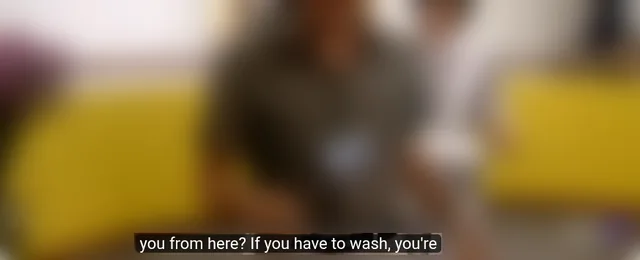
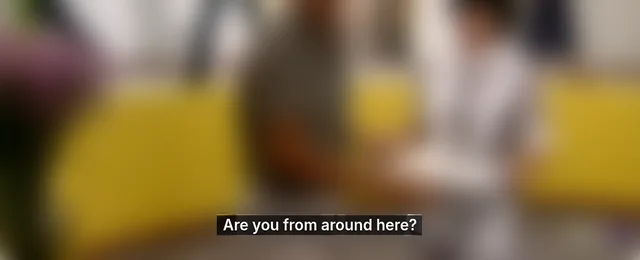
- Vocnu used YouTube’s automatic Spanish captions, and its first English line came 13 seconds after we switched it on.
- That line, “Are you from around here?”, is the Spanish “usted es de aquí”. YouTube’s Auto-translate split the moment into “fifth one. Are” and “you from here? If you have to wash, you’re”.
- Under the voice, the actors dropped to about a third.
- After a pause, a jump ahead and a page reload, the voice followed the picture.
- Switched on again 55 seconds in, it took 11 seconds: “and I’d like to know why you think you’re the right people for this job.”
Spain’s news, live on RTVE
The same day we opened RTVE’s 24h channel live in RTVE’s own player, from Lithuania.
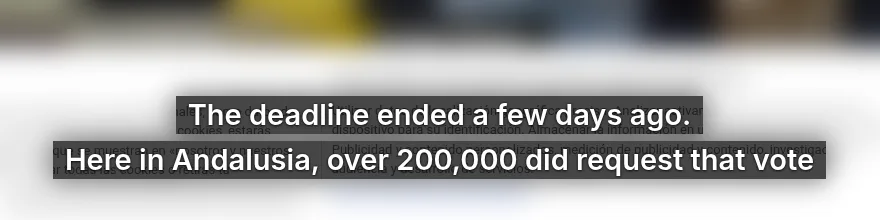
- Vocnu listened to the sound and showed its first English line 11 seconds after we switched it on: “Because I don’t want them to stop me from voting.”
- Lines came a few seconds after the speech, as live translation does, and the voice read them. After a reload, they were back in 11 seconds.
- Standard doesn’t work live, so a live channel is read in Premium.
- RTVE’s cookie box covered the bottom of the player, and Vocnu’s subtitles sat on top of it. Close it first.
An episode on RTVE Play started muted, and Vocnu waited with “The video is muted. Turn the sound on to start.”
English subtitles or an English voice?
Start with subtitles: they cost least and leave the Spanish voices as they are.
- Voice + subtitles helps when your eyes are elsewhere, as with the news on in the background.
- One voice reads every speaker. It doesn’t copy the actors’ voices or match their lips.
What English on a Spanish video costs
YouTube’s and Chrome’s ways are free. Vocnu charges for the time it translates, in Standard or the finer Premium:
| What you choose | A half-hour episode | An hour |
|---|---|---|
| Standard subtitles | €0.30 to €0.63 | €0.60 to €1.25 |
| Standard voice-over | €0.60 to €1.25 | €1.19 to €2.50 |
| Premium voice-over | €2.38 to €5.00 | €4.77 to €10 |
- A new account gets 2 h 40 min of Standard subtitles or 1 h 20 min of Standard voice-over free.
- Watching the same video again within 90 days, in the same language and mode, is free.
Questions and answers
Not as a file: its website turns a video down. On YouTube, Auto-translate does it for captions, as our Google Translate post shows.
Chrome’s Live Translate gives text only. Vocnu’s Voice + subtitles reads the English aloud over the lowered Spanish.
Both worked in our tests: Colombian Spanish on YouTube and Spain’s Spanish on RTVE, with no accent to choose.
Not with Vocnu: it is an extension for Chrome, Brave and Edge on a computer.
Sources
- Canal RCN on YouTube: Betty llega a Ecomoda, Yo soy Betty, la fea, the clip we testedyoutube.com (opens in a new tab)
- RTVE Play: 24h live, the channel we testedrtve.es (opens in a new tab)
- RTVE Play: Telediario 15 horas of 25 November 2026, the episode that started mutedrtve.es (opens in a new tab)
- YouTube Blog: Auto-translate for captionsblog.youtube (opens in a new tab)
- YouTube Help: Automatic dubbingsupport.google.com (opens in a new tab)
- Chrome Help: Manage captions and translations in Chromesupport.google.com (opens in a new tab)
Found something out of date? Write to support@vocnu.com and we will check it and correct the page.